
How to Manage Google Business Profiles at Scale Without Losing Your Mind
Managing online presence across many locations gets messy fast. Google Business Profile is powerful but often mishandled. Done right, it drives traffic and rankings. Done wrong, you can lose listing access. This guide explains GBP basics, multi-location pitfalls, common mistakes, and best practices


If you operate a business with more than a handful of locations, you already know the chaos that comes with managing your online presence. And right at the center of that chaos sits one of the most powerful — and most mismanaged — tools in local marketing: Google Business Profile.
Getting it right can drive foot traffic and boost local search rankings. Getting it wrong? You might lose access to your own listings or spend weeks in email back and forth with Google support trying to reclaim a profile that technically belongs to an ex-employee. This guide covers what Google Business Profile is, where multi-location management gets tricky, the most common mistakes, and a set of best practices that will save you time and headaches.
What Is Google Business Profile (and Why Should You Care)?
Google Business Profile — formerly known as Google My Business, or GMB — is Google’s free tool that lets businesses manage how they appear across Google Search and Google Maps. When someone searches for “coffee shop near me” or “best dentist in Austin,” the results they see in that local map pack are powered by Google Business Profiles.
Your profile includes your business name, address, phone number, hours of operation, photos, reviews, posts, Q&A, and a growing list of attributes and features that Google continues to add. It’s essentially your storefront on Google — and for many customers, it’s the first (and sometimes only) impression they’ll get of your business.
Why It’s Critical for Local Businesses
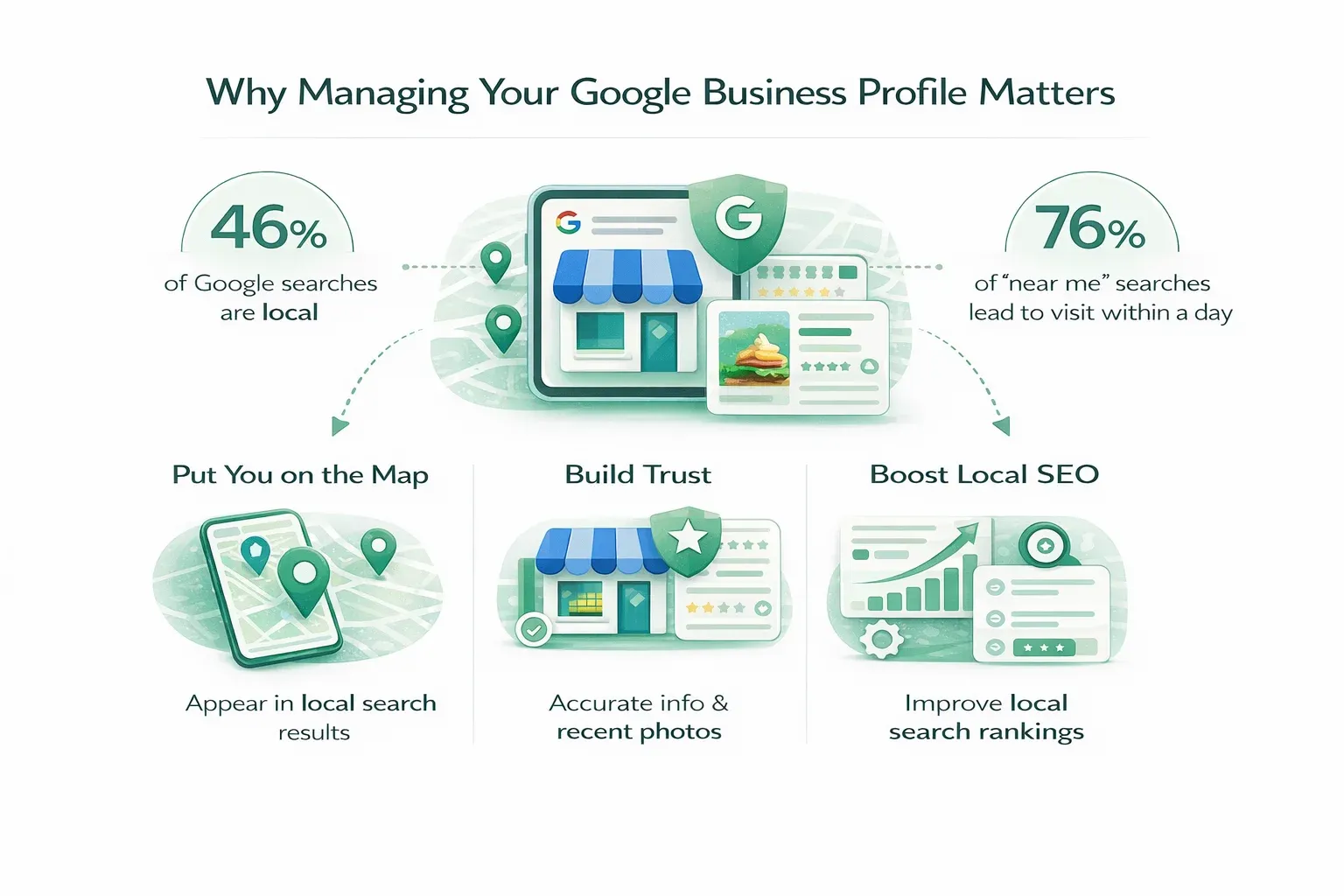
The numbers are hard to ignore. 46% of all Google searches have local intent, and 76% of consumers who search for something “near me” visit a business within a day. Your Google Business Profile is often the deciding factor in whether a potential customer chooses you or your competitor down the street.
Here’s what a well-managed profile does for you:
It puts you on the map — literally. Without a verified and optimized Google Business Profile, your location may not appear in local search results or Google Maps at all. For a business that depends on local foot traffic, that’s effectively being invisible.
It builds trust before the first interaction. When customers see accurate hours, recent photos, thoughtful responses to reviews, and up-to-date information, they feel confident about choosing your business. When they see outdated info, unanswered negative reviews, or a profile that looks abandoned, they move on.
It’s a major local SEO signal. Google uses the information in your profile — combined with reviews, citations, and on-page signals — to determine local search rankings. A complete, active, and well-maintained profile gives you a meaningful edge. And with the rise of Generative Engine Optimization (GEO) — where AI-powered search experiences like Google’s AI Overviews pull structured business data to generate answers — your profile is becoming even more important. Over 40% of local business queries already trigger AI Overviews, and having accurate, rich profile data increases your chances of being featured in these AI-generated results.
It drives measurable actions. Google Business Profile insights show you how many people called your business, requested directions, visited your website, or clicked through to book an appointment — all directly from your listing. This isn’t vanity metrics territory; it’s real, attributable customer activity.
For a single-location business, managing all of this is relatively straightforward. But when you’re responsible for dozens, hundreds, or even thousands of locations? That’s where things get complicated — fast.
Why Multi-Location Management Is So Difficult
Google Business Profile was originally designed with small, single-location businesses in mind. Over the years, Google has added features to support larger organizations, but the platform still carries some fundamental limitations that make multi-location management genuinely challenging.
You Need a Google Account — No Exceptions
To create or manage any Google Business Profile, you need a Google account. That sounds simple enough, but it creates an immediate question for organizations: whose Google account? A personal Gmail? A corporate Google Workspace account? A shared marketing team account? The answer to that question has enormous downstream consequences, and most businesses don’t think about it until something goes wrong.
Permission Roles Are Limited
Google offers three permission levels for Google Business Profile: Primary Owner, Owner, and Manager. That’s it. There’s no “view-only” access, no “post-only” role, no granular permission that lets someone update hours but not respond to reviews. For large organizations with different teams handling different aspects of their profiles, this lack of granularity forces uncomfortable compromises. Either you give people more access than they need, or you create bottlenecks by restricting access too tightly.
Multi-Location Tools Exist, but They’re Underused
Google does provide tools for managing multiple locations, including the ability to create business groups and bulk-manage listings. But these features are not particularly well-documented, not intuitive to set up, and — perhaps most critically — not widely known. Many multi-location businesses don’t even realize these features exist, so they end up managing each location individually, which is both inefficient and error-prone.
Verification at Scale Is Painful
Each new location needs to be verified by Google before it goes live. For single locations, this usually means receiving a postcard at the business address or completing a phone or video verification. At scale, bulk verification is available, but qualifying for it requires meeting specific criteria and navigating a process that can take weeks. In the meantime, your new locations are sitting in limbo, invisible to potential customers.
These limitations aren’t insurmountable, but they do mean that multi-location businesses need to be much more intentional about how they set up and manage their Google Business Profiles. Unfortunately, most aren’t — and that leads us to the mistakes.
The Most Common (and Costly) Mistakes Businesses Make
After working with multi-location businesses, the same patterns come up again and again. Some of these mistakes are merely inconvenient. Others can result in permanent loss of access to your listings. Here are the ones you absolutely need to avoid.
Mistake #1: Using Personal Google Accounts (The Big One)
This is by far the most common and most dangerous mistake. A business owner creates locations using their personal Gmail, or worse — a junior marketer or external agency sets things up under their own account. It feels convenient at the time. Then that person leaves the company or the agency relationship ends, and suddenly the business discovers that someone who’s gone is the primary owner of all their Google Business Profiles. The listings are still live, still collecting reviews — but the business can’t edit them, can’t respond to reviews, and can’t add new team members.
Recovering means dealing with Google support, which is not known for quick resolutions. The ownership verification process can take weeks, requires extensive documentation, and in some cases you may not recover access at all if the original account holder is unreachable.
Mistake #2: Creating a New Google Account for Every Location
This is the opposite extreme — creating a separate Google account for each location to avoid tying everything to one person. On paper it sounds organized. In practice, you end up with dozens or hundreds of accounts, each with its own credentials that need to be stored, shared, and rotated. Nobody can see all locations in one place, there’s no way to make bulk changes, and when someone needs access to a new location, someone else has to dig up the right password — usually from an outdated spreadsheet or a Slack message from six months ago.
This approach also makes it nearly impossible to use Google’s built-in multi-location management tools, which are designed to work with a single account that owns multiple locations.
Mistake #3: Neglecting Business Groups
Google Business Profile lets you organize locations into groups — but most multi-location businesses either don’t know this feature exists or don’t bother using it. Instead, they manage every location individually. That means manually adding a new team member to each location one by one, manually removing departing employees from each location one by one, and manually granting access to all the right people whenever a new location opens.
At five locations, this is tedious. At fifty, it’s a full-time job. At five hundred, it’s simply not sustainable. Business groups solve most of these problems, and we’ll cover exactly how in the best practices section below.
Mistake #4: Being Too Generous with Permissions
When someone needs access, the default instinct is to make them an Owner. But Owner-level access includes the ability to add and remove other users, transfer ownership, and even delete the profile entirely. For the vast majority of day-to-day tasks — updating hours, responding to reviews, publishing posts, uploading photos — Manager-level access is more than sufficient.
Giving Owner access to people who only need Manager access creates unnecessary risk. A disgruntled employee could remove other users, an inexperienced team member could accidentally delete a profile, and a compromised account with Owner permissions does far more damage than one with Manager-level access.
Best Practices for Multi-Location Google Business Profile Management
Now that we’ve covered what not to do, let’s talk about what you should do. These best practices are designed to give you a secure, scalable, and maintainable system for managing Google Business Profiles across any number of locations.
One caveat is worth setting up front. A complete profile is the entry ticket, not the edge: comparing the restaurants AI assistants recommend most against the ones they barely mention, both groups had claimed listings 97% of the time, with nearly every attribute filled in. Everything below gets you level with the field. Getting past it takes evidence you accumulate afterward.
Establish a Master Account
Every multi-location business needs one central Google account that serves as the master account for Google Business Profile management. This account should be the primary owner of all your locations.
Ideally, this should be a corporate Google Workspace account — something like gbp@yourcompany.com or locations@yourcompany.com. A Google Workspace account gives you several advantages over a free Gmail account: it’s tied to your company domain, it can be managed by your IT team, it supports additional security features like enforced two-factor authentication, and it clearly signals to Google (and to your team) that this is a business account, not a personal one.
The password for this account should be stored in a secure credential manager — not in someone’s head, not in a spreadsheet, and definitely not on a Post-it note. Access to the master account itself should be limited to a very small number of senior stakeholders. Think of it as the master key to your entire local search presence. Guard it accordingly.
Create All Locations from the Master Account
Every new location should be created by the master account, or the master account should be set as the primary owner as soon as possible for existing locations. This ensures that no matter what happens with individual team members, agencies, or other accounts, your organization always retains top-level control over every listing.
For existing locations that were created under other accounts, you can initiate an ownership transfer to the master account. This should be treated as a priority project if it hasn’t been done already — the longer you wait, the higher the risk that you’ll lose access to a profile when the person who created it moves on.
Organize Locations into Business Groups
This is one of the most useful and most underappreciated features in Google Business Profile. Business groups let you organize your locations into logical collections and manage access at the group level rather than the individual location level.
How you group your locations depends on your business structure. Here are a few common approaches:
If you’re a multi-brand chain, you might group by brand — all your coffee shop locations in one group, all your bakery locations in another.
If you’re an agency managing profiles for multiple clients, group by client. This makes it easy to give each client’s team access to only their own locations and to onboard or offboard clients cleanly.
If your business is organized by region, group by geography — West Coast, East Coast, Midwest, and so on. This is especially useful if you have regional managers who are responsible for specific territories.
You can also combine approaches. The key is to choose a structure that reflects how your organization actually operates, so that managing access feels intuitive rather than forced.
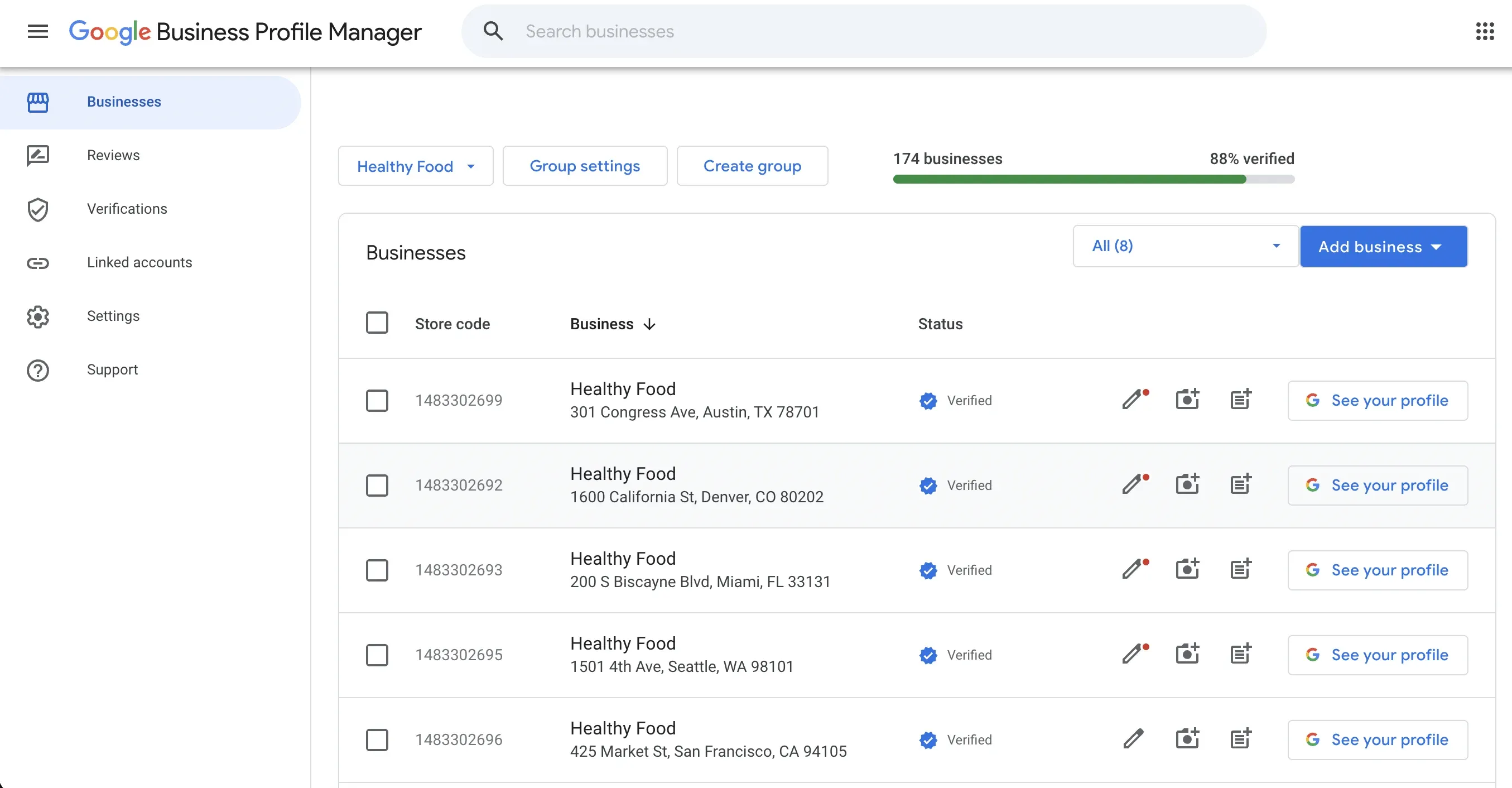
Business groups in Google Business Profile Manager let you organize and manage multiple locations from one centralized view
Manage User Access Through Groups
Once your locations are organized into groups, manage user access at the group level. This is where the real efficiency gains come from.
When you add a user to a group, they automatically get access to every location in that group. When a new location is added to the group, every existing user in that group can access it immediately — no manual work required. When someone leaves the team or changes roles, you remove them from the group once, and their access to every location in that group is revoked instantly.
Compare this to managing access on a per-location basis, where adding or removing a single user might mean clicking through fifty or a hundred individual listings. The group-based approach is not just more efficient — it’s dramatically less error-prone.
Follow the Principle of Least Privilege
When assigning permission levels, always start with the minimum level of access a person needs to do their job and only escalate if there’s a specific, justified reason.
In Google Business Profile, there are three permission levels:
Primary Owner is the highest level of access. There can be only one primary owner per location, and this should always be your master account. The primary owner can do everything, including transferring ownership to another account — which is exactly why you want it locked down to your most secure, centrally managed account.
Owner can do almost everything the primary owner can, including adding and removing other users. This level should be reserved for a very small number of senior, trusted individuals — typically only people who have a legitimate need to manage user access.
Manager can handle the vast majority of day-to-day tasks: editing business information, responding to reviews, publishing posts, uploading photos, and managing messaging. Managers cannot add or remove users, and they cannot remove the business profile. For most team members — marketers, customer service reps, regional managers, agency partners — Manager access is exactly the right level.
Resist the urge to hand out Owner permissions “just in case.” The principle of least privilege isn’t about being stingy with access — it’s about protecting your business from accidental or intentional damage. A Manager can do everything they need to do to keep your profiles active, optimized, and engaging. Reserve the higher permission levels for the people who genuinely need them.
When It’s Time to Level Up: Multi-Location Marketing Solutions
Even with perfect processes, there comes a point where managing Google Business Profiles manually doesn’t scale. Purpose-built multi-location marketing solutions sit on top of Google Business Profile and let you add, verify, and manage all your locations from a single dashboard. You can manage user access within the platform itself — no need to create Google accounts for every team member or share passwords. And you get centralized review management, performance analytics, and consistent branding across all locations. Pair that with per-location review QR codes and each location builds its own review velocity without a central bottleneck.
If you’re evaluating solutions, Pluspoint is worth a look. It’s built specifically for multi-location businesses and agencies, and its 14-day free trial lets you connect and centrally manage all of your locations with no credit card required — a low barrier to entry for businesses ready to get serious about scaling their local presence.
Wrapping Up
Managing Google Business Profiles for a multi-location business doesn’t have to be chaotic. Establish a dedicated master account on a corporate domain, make it the primary owner of every location, organize your listings into business groups, manage user access at the group level, and apply the principle of least privilege when assigning permissions.
These are the practices that will save you from the 2 AM panic when you realize a former agency still owns half your listings. Your Google Business Profiles are the front door to your business for millions of potential customers. Take the time to manage them properly — your future self will thank you.
Once the right management structure is in place, the next question is what to actually do with those profiles to move the revenue needle at each location. We have put together 18 micro-optimizations for multi-location businesses, plus 32 more in a free checklist, covering discoverability tweaks, reputation wins, and automation improvements you can act on immediately.