






















Our story
Location pages for local businesses and franchises
Give every location its own page, so customers pick the right one
Build a mobile page for each location with its address, rating, prices and booking link. Put it on Google Maps, in your bio and on your QR codes.
Trusted by hundreds of local brands
Locations without their own page frustrate customers and lose them
Customers want the details of the location they’re visiting. A brand website or a PDF leaves them guessing.
-
A brand website makes customers search for one location’s details
They scroll past the brand’s story to find its address and prices.
-
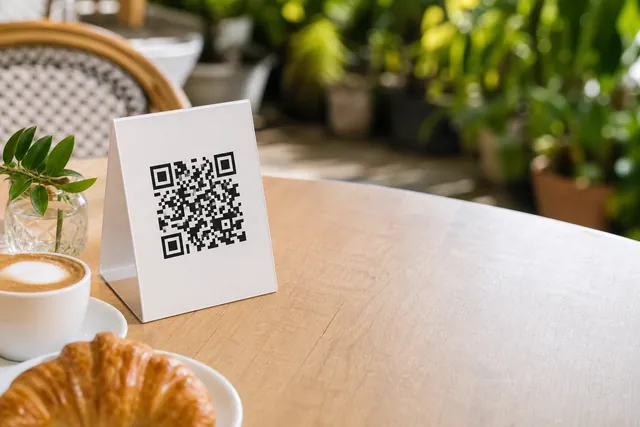
QR codes that open a PDF make guests pinch and zoom
A PDF on a table or in a hotel room gives guests nothing to tap.
-
Prices, booking and ordering each sit behind a different link
Customers hop between apps to find each one.

Put your prices, booking and ordering behind one link, so customers skip the search
Each location’s page carries Pluspoint’s menus, surveys, sign-up forms and AI chatbot. Add a button for a price list, a booking app or a delivery app.

Brunch at The Garden Table
Served every day until 3 PM
Oak Avenue: 220 Oak Avenue, Dallas
Brunch
Plates
Sweets
Drinks
$14.00
Poached eggs and ham on an English muffin with hollandaise
Options
Smoked salmon instead of ham$3.00
Gluten-free muffin$2.00
$12.00
Sourdough with smashed avocado, lime and chili flakes
Vegan
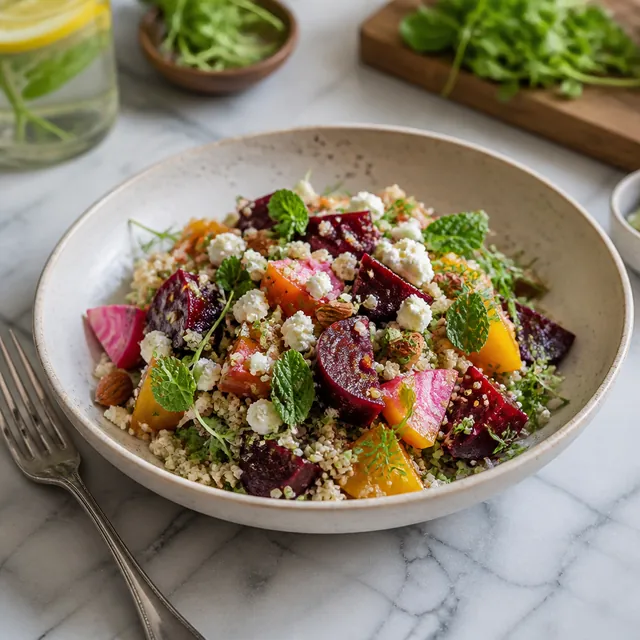
$13.00
Roasted beets, quinoa, feta and herbs with a lemon dressing
Vegetarian
$11.00
Maple syrup, fresh berries and whipped butter
Vegetarian
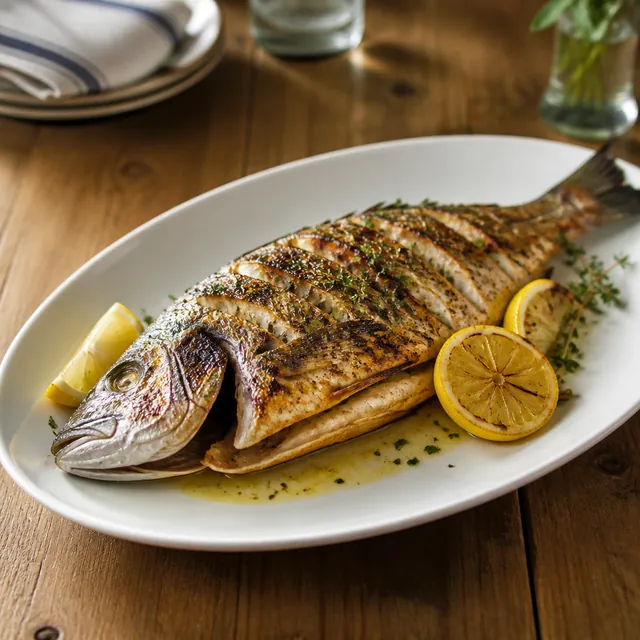
$24.00
Whole fish with charred lemon, olive oil and herbs
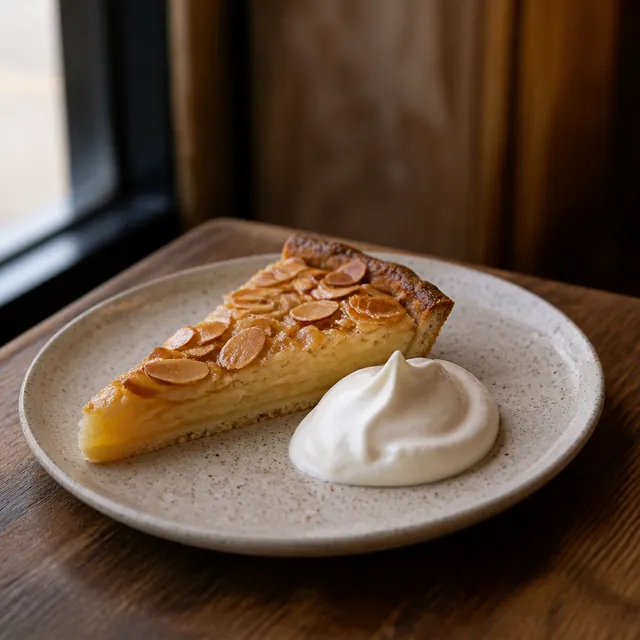
$8.00
Frangipane tart with whipped cream
Vegetarian
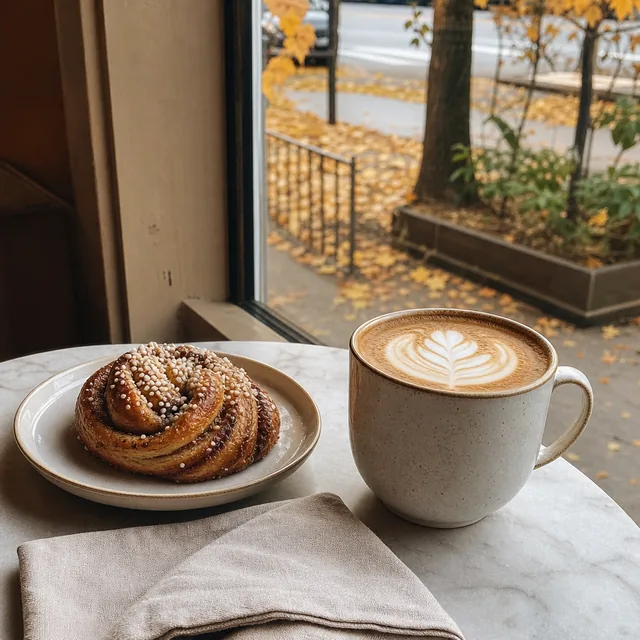
$5.00
Baked every morning, with a brown butter glaze
Vegetarian
$5.00
A double shot with oat milk
Vegan
$6.00
Squeezed to order
Vegan
Book a table
The Garden Table, Oak Avenue
2 guests
Table reserved
2 guests, Sat at 12:30 PM
The Garden Table, Oak Avenue
Delivery from Oak Avenue
25-35 min
1 Avocado toast $12.00
2 Oat latte $10.00
Order placed
Arrives in 25-35 min
The Garden Table
Oak Avenue
220 Oak Avenue, Dallas
4.8 (312 reviews)
See the menuBook a tableOrder deliveryGet weekend specials
Oak Avenue Can I bring my dog to the patio?
Yes, dogs are welcome on the Oak Avenue patio. There’s a water bowl by the gate.
Weekend specials
Complete the form
One email on Fridays with the Oak Avenue specials.
NameRachel M.
Emailrachel@example.com
Contact created: Rachel M.
How was your visit to Oak Avenue?
Tell us in one tap.
Excellent
Thanks for your feedback

 Review on G2
 Every shop has its own little page now, with the barbers on it, the prices and a booking link, and that thing pulls more work than our actual website does. I did not see that coming.
Turn visits to every location’s page into bookings with Pluspoint micro-sites
Pluspoint micro-sites are local landing pages for multi-location businesses. They come with the Pluspoint plan at no extra cost.
-
Keep every location’s page accurate without updating each one yourself
Each page takes the location’s name, address and social links from its record in Pluspoint, so nobody types them twice. Local managers edit their own buttons.
Location pages
Bring more customers to every location
The Garden Table
Elm Street14 Elm Street, Dallas
4.6 (198 reviews)
See the menuOrder deliveryBook a table The Garden Table
Oak Avenue220 Oak Avenue, Dallas
4.8 (312 reviews)
See the menuBook the patioGet weekend specials The Garden Table
Pine Road8 Pine Road, Dallas
4.3 (143 reviews)
See the menuLive music on FridaysBook a table -
Make every location’s page look like your business, on your own domain
Set your colors, fonts and logo once, and every location’s page takes them. Put the pages on your own domain, and HTTPS is set up for you.
Custom domain
Earn trust with your own domainAppearance
Background#F6F1E6
FontHelvetica
ButtonsRounded
Custom Domain
go.gardentable.comActive
plsp.io/oak-avenuego.gardentable.com/oak-avenue
The Garden Table
Oak Avenue220 Oak Avenue, Dallas
4.8 (312 reviews)
See the menuBook a table -
Keep every location’s prices current, from an AI-imported menu or a price list
Restaurants and hotels turn a PDF into a menu page with AI and change a price once for every location. Other businesses add their price list as a file or link the services in their booking app.
Menus and prices
Sell more with menus that stay currentfall-menu.pdf Importing with AIImported with AI Brunch at The Garden Table
Brunch
Eggs Benedict$14.00
Avocado toast$12.00
Buttermilk pancakes$11.00
Drinks
Oat latte$5.00
Fresh orange juice$6.00
 On 3 location pages and Google
 -
Answer customers in seconds with the AI chatbot on every location’s page
Pluspoint’s omnichannel AI chatbot answers on the page from your knowledge base, even after hours. Customers hear back while they’re still choosing, so more of them book with you. With handoff on, the rest goes to your team.
Omnichannel AI chatbot
Turn questions into bookings Oak Avenue Can I bring my dog to the patio?
AI agentYes, dogs are welcome on the Oak Avenue patio. There’s a water bowl by the gate.
Great, see you at 11
-
Bring customers back with a sign-up form on each location’s page
Each sign-up becomes a contact of that location. An automation can then send offers by email, SMS or WhatsApp and give them a reason to come back.
Sign-up forms
Win repeat visits from every sign-up Weekend specials
One email on Fridays with the Oak Avenue specials.
NameRachel M.Emailrachel@example.comSign upContact created: Rachel M.
Get more bookings at every location, without a developer
- Step 1
Pick a 15-minute slot
Nothing to prepare. Tell us how many locations you run and where your links point today.
- Step 2
See a location’s page built live
On the call, we build the page for one of your locations with its real address, rating and your booking link.
- Step 3
Leave with your links sorted
Decide the buttons for each location’s page and what each manager can edit.
Micro-sites are one part of Pluspoint. The demo also covers listings, reviews, the inbox and surveys. Or book via the contact form.
In addition to location pages, get reviews, listings and the inbox in one plan
1
Attract Be found and chosen locally
Show up first when locals, and AI search, look for what you offer.
2
Convert Turn local interest into paying customers
Answer fast, capture every lead, and turn visits into bookings.
3
Retain Keep customers coming back
Protect your reputation and drive repeat business on autopilot.
Your questions about local landing pages
1. Do I need a separate page for each location?
Yes, when the locations differ in address, hours, menu or services. Give each one its own page with its own address on the web, and link that location’s Google profile to it. You can give every location a page in Pluspoint, and a brand page can link to all of them. See Microsites.
2. Can one link send guests to the right location?
Yes. Build a brand page with a button for each location’s page and use that link in your bio and ads. The brand page shows the rating across all your locations, and each button opens that location’s own page. See Microsites.
3. What does a location page show?
The logo, the location’s name, its address with a link to Google Maps, and its rating and review count. Below that come your buttons: a link, a file, a survey, a sign-up form, or a menu for restaurants and hotels. The social icons sit under the buttons, and live chat can sit in the corner. The look comes from your brand settings. See Microsites.
4. Can a franchisee edit their page without changing the brand?
Yes. Give the franchisee full access to Micro-sites for their own location, and they can change its buttons and links. Colors and fonts come from the brand settings, which only people with account settings access can change. See Users and permissions and Brands.
5. Can I use my own domain?
Yes. Add a subdomain such as links.yourbrand.com and create the CNAME record Pluspoint shows you. Once the domain verifies, pick it on each page, and HTTPS is set up for you. The canonical links and the sitemap follow the domain. See Microsites.
6. Can I use a location page as the website on its Google Business Profile?
Yes. Put each location’s page in that location’s website field, on your own domain so the link shows your domain. Keep booking and ordering links pointing at the booking or ordering page itself, as Google asks. See Google Business Profile.
7. Can I use it as the link in my Instagram bio?
Yes. Use the location’s page, where guests get your buttons in one place and the address opens Maps. A brand account can use the brand page, whose buttons open each location’s page. See Microsites.
8. Can I turn my PDF menu into a menu page?
Yes, for restaurant and hotel locations. Import a PDF, photos or a spreadsheet with AI, check the menu it builds, and save it. One menu can serve many locations. It shows on each page where you add a Menu button, and it can publish to Google Business Profile as the food menu. See Menus.
9. Can a salon or a garage show its prices?
Yes. Add a File button with your price list, or a Link button to the services in your booking app. Menus, with AI import, are for restaurant and hotel locations. See Microsites.
10. Can visitors ask questions on the page?
Yes. Switch on live chat and pick a live chat channel. If the channel has Pluspoint’s AI chatbot, it answers from your knowledge base and the location’s details while your AI credits last. With handoff on, your team picks up the rest in the inbox. See Live chat channel.
11. Where do sign-ups from the page go?
Into Contacts. Each sign-up creates or updates a contact, adds the location and the segments you picked, and can start an automation by email, SMS or WhatsApp. Export every sign-up as a CSV file. See Forms.
12. Can each visitor see the page in their language?
Yes. Write each button’s title, and its link or file, per language. A visitor sees their browser’s language, and a language switcher appears when the page has more than one. See Microsites.
13. Can I see how many views each page gets?
Yes. Each page counts its views, repeat visits included, and each form counts its views and sign-ups, with an export. Pages don’t break views down by source. See Forms.
14. What does it cost?
Micro-sites come with the Pluspoint plan at $29 per location per month from 3 locations, with every feature included and three users. Cancel any time. Sign up and run up to 30 locations without a sales call, and larger chains get a quote. See the pricing page.
15. Who are Pluspoint location pages not for?
Businesses that need a full website with a blog, online ordering or a layout of their own. Each micro-site is one mobile page with buttons in your brand’s look, and you create the pages one location at a time.
Keep reading

18 Micro-Optimizations That Boost Local Revenue for Multi-Location Businesses (Plus 32 More in Our Free Checklist)
Discover 18 proven micro-optimizations that multi-location businesses use to boost local revenue, from AI answer engine optimization to review velocity tracking. Plus, get 32 more in our free checklist.
Dmytro Semonov March 16, 2026
Read article → 
How to Manage Google Business Profiles at Scale in 2026: Who Holds the Keys
Claimed, described and photographed is the entry ticket now. A 489-listing audit of twelve national chains shows where multi-location profiles still break, what Google changed in the last year, and which account should hold the keys.
Dmytro Semonov September 18, 2026
Read article → 
Franchise Marketing Strategies: Navigating the Franchisee vs. Franchisor Relationship
The relationship between franchisees and franchisors is a cornerstone of a successful franchise business. However, it’s also a delicate balance. This blog explores the unique dynamics of franchisee and franchisor relationships in marketing and provides actionable strategies for achieving harmony.
Sergio Shanin January 20, 2025
Read article →